
Today we present a complete guide for adding the new Blogger Statistics Widget. This updated design displays the total number of visits, all published posts, and all comments in your blog — exactly as shown in the preview image below.

New Blogger Statistics Design
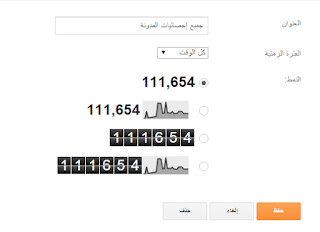
To get started, you must first add the default Blogger Statistics gadget from:
- Layout → Add a Gadget
- Select Blog Stats
- Rename it to: Website Statistics (Site statistics)

Now go to:
- Theme
- Edit HTML
Add the Required CSS Code
Search for: ]]></b:skin>
Then paste this CSS directly above it:
/* Blogger Statistics Styling */
.cnmustatusw {color: #fff;list-style:none;margin:0!important;padding:0!important;}
.cnmustatusw li {display:block;font-size:15px;height:32px;line-height:32px;margin-bottom:10px;overflow:hidden;}
.cnmustatusw i {color:#fff;font-size:18px;height:32px;line-height:32px;margin-left:8px;text-align:center;width:32px;}
.cnmustatusw i, .cnmustatusw span, .cnmustatusw h4 {float:right;line-height:30px;margin-left:4px;}
.cnmustatusw h4 {color:#FDCF00;}
Replace the Default Statistics Widget Code
Search in the HTML for the widget name:
Site statistics
Once you find the widget, select its entire code and replace it with the following:
<div class='widget-content'>
<ul class='cnmustatusw'>
<li><i class='fa fa-file-text-o'></i><span>Total Posts : </span><h4 id='cnmustatpost'>...</h4></li>
<li><i class='fa fa-comments'></i><span>Total Comments : </span><h4 id='cnmustatcommen'>...</h4></li>
<li><i class='fa fa-line-chart'></i><span>Total Views : </span><h4 expr:id='data:widget.instanceId + "_totalCount"'>...</h4></li>
</ul>

<script>
// Fetch post count
function totalPosts(json){
  document.getElementById('cnmustatpost').innerHTML=json.feed.openSearch$totalResults.$t;
}
// Fetch comments count
function cnmutc(json){
  document.getElementById('cnmustatcommen').innerHTML=json.feed.openSearch$totalResults.$t;
}
// Load JSON feeds
document.write(
  '<script src="/feeds/posts/default?alt=json-in-script&max-results=0&callback=totalPosts"></script>' +
  '<script src="/feeds/comments/default?alt=json-in-script&max-results=0&callback=cnmutc"></script>'
);
</script>
</div>
🎉 Installation Complete
Your Blogger blog now displays modern statistics — total posts, total comments, and total views — with a clean professional layout that works on all templates.
Done!
This concludes our guide on "Modern Blogger Statistics Widget 2023". We’ll see you again in another tutorial. Stay safe and have a great day! 🙂
